建構一款名為「Forage」的 app。本程式碼研究室將引導您逐步完成 Forage app project,包括在 Android Studio 中設定和測試 project。
完成後的 Forage app 可讓使用者追蹤他們在自然界中搜尋到的物品,例如食物。通過使用 Room,可使這些資料在會話間持久保存(persisted)下來。運用您掌握的 Room 知識以及對 database 進行讀取、寫入、更新和刪除,以在 Forage app 中實現資料的持久保留(persisted)。
建構項目
實作 entity、DAO、ViewModel 和 database class,以便透過 Room 在 app 中加入持續性機制(persistence)。
完成的應用程式總覽
完成後的 Forage app 可讓使用者追蹤他們在自然界中覓得的 items,例如食物(food)。在使用 Room 的工作階段之間會保留(persisted)此資料。您將運用所掌握的 Room 知識,以及對在 database 執行讀取、寫入、更新及刪除作業的瞭解,在 Forage app 中實現持續性(persistence)。下文說明完成後的 app 及其功能。
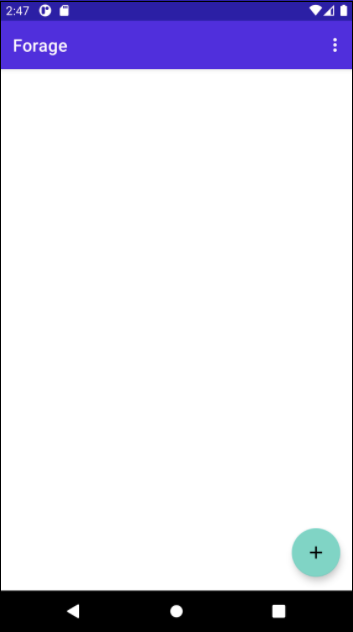
App 初次啟動時,使用者會看到空白畫面,其中包含顯示 foraged items 的 recycler view,還有右下角可用來新增 items 的 floating button。
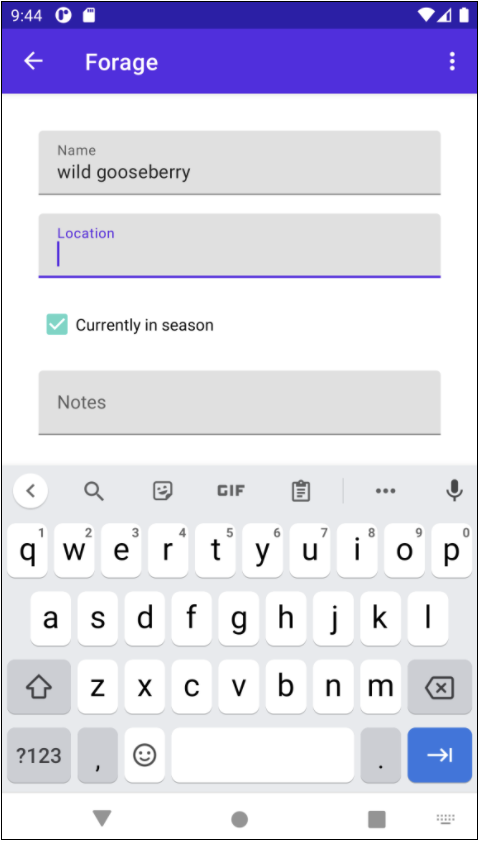
新增 item 時,使用者可以指定名稱(name)、找到項目的地點(location),並加上其他附註(notes)。你也可以有 checkbox,以指定 food item 是否屬於當季。
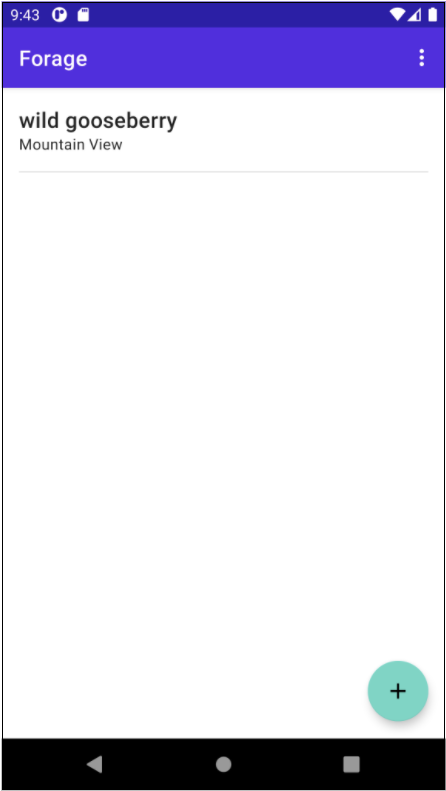
新增的 item 將顯示在第一個畫面的 recycler view 中。
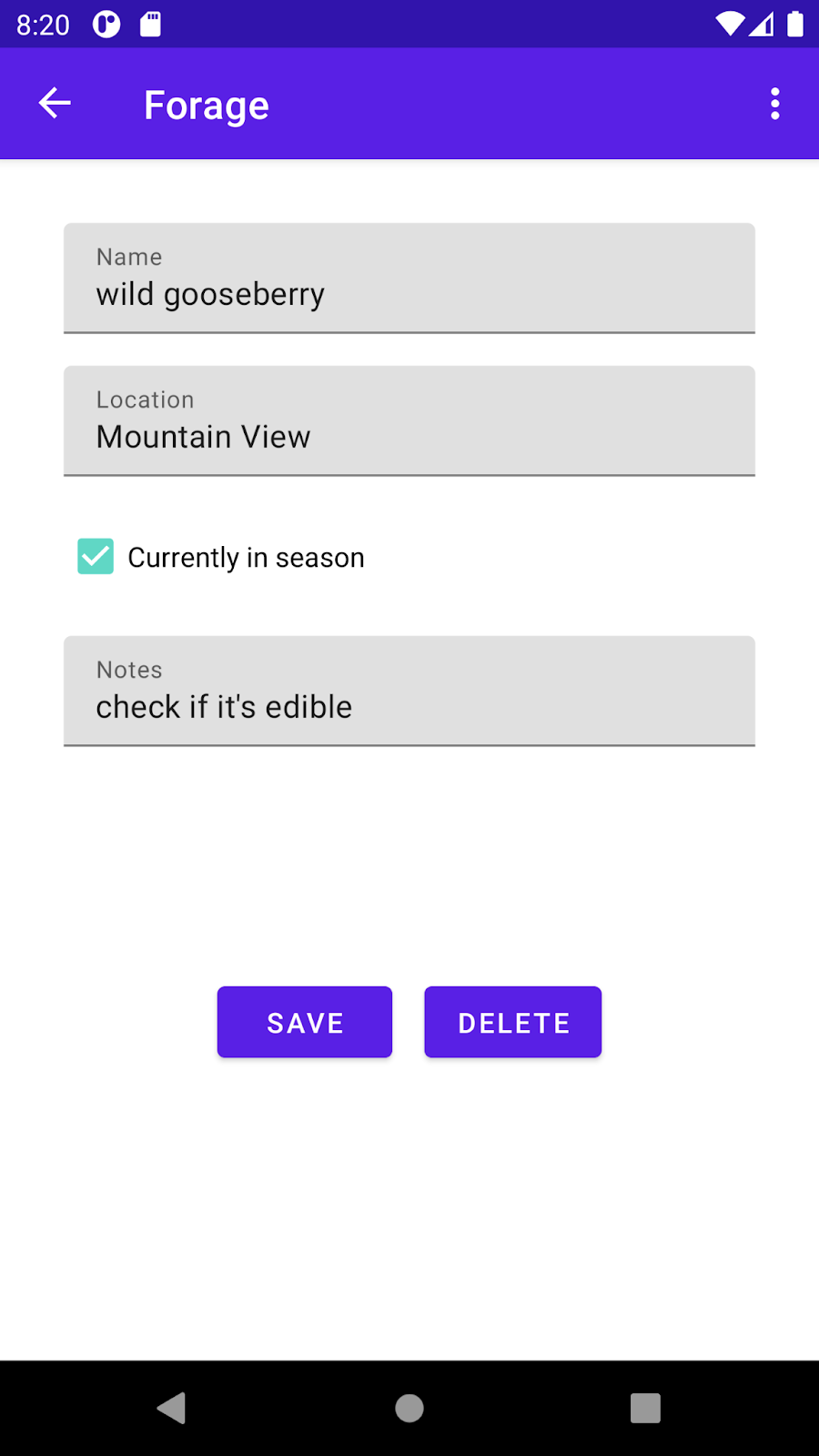
輕觸某個 item 就會開啟詳細資料(detail)畫面,並顯示名稱(name)、地點(location)和附註(notes)。
浮動式按鈕(floating button)也會從加號變更為編輯 icon。輕觸此按鈕即可開啟畫面,以便編輯名稱(name)、地點(location)、附註(notes)和當季(in season) checkbox。輕觸 delete button 則可從 database 中移除 item。
雖然系統已導入此 app 的 UI 部分,但您的任務是運用對 Room 的瞭解來實現持續性(persistence),讓 app 能夠讀取、寫入、更新及刪除 database 中的 items。
開始操作
下載專案程式碼
請注意,資料夾名稱是 android-basics-kotlin-forage-app。在 Android Studio 中開啟專案時,請選取這個資料夾。
設定專案以使用 Room
定義 Forageable entity
專案已有 Forageable class,可定義 app 的資料 (model.Forageable.kt)。此 class 有多個屬性:id、name、address、inSeason 和 notes。
1
2
3
4
5
6
7
| data class Forageable(
val id: Long = 0,
val name: String,
val address: String,
val inSeason: Boolean,
val notes: String?
)
|
不過,若要使用此 class 儲存持續性資料,就需要將 class 轉換為 Room entity。
- 使用這個 table 名稱為
"forageable_database" 的 @Entity 為 class 加上註解。
1
2
3
| @Entity(tableName = "forageable_database")
data class Forageable(
)
|
- 將
id 屬性設定為主鍵(primary key)。主鍵應由系統自動產生。
1
2
| @PrimaryKey(autoGenerate = true)
val id: Long = 0,
|
- 將
inSeason 屬性的 column name 設定為 "in_season"。
1
2
| @ColumnInfo(name = "in_season")
val inSeason: Boolean,
|
實作 DAO
您將透過 view model 存取 database,而 ForageableDao (data.ForageableDao.kt) 可用來定義從 database 讀取及寫入 database 的方法,就如同您的猜像。由於 DAO 只是您定義的 interface,因此無需撰寫任何程式碼即可導入這些方法。您應該改用 Room 註解,視需要指定 SQL 查詢。
在 ForageableDao interface 中,您必須新增五個方法。
getForageables() 方法會對 database 中的所有 row 傳回 Flow<List<Forageable>>。
1
2
| @Query("SELECT * FROM forageable_database")
fun getForageables(): Flow<List<Forageable>>
|
getForageable(id: Long) 方法會傳回符合指定 id 的 Flow<Forageable>。
1
2
| @Query("SELECT * FROM forageable_database WHERE id = :id")
fun getForageable(id: Long): Flow<Forageable>
|
insert(forageable: Forageable) 方法會將新的 Forageable 插入至 database 中。
1
2
| @Insert(onConflict = OnConflictStrategy.REPLACE)
suspend fun insert(forageable: Forageable)
|
update(forageable: Forageable) 方法會採用現有 Forageable 作為參數,並據此更新 row。
1
2
| @Update
suspend fun update(forageable: Forageable)
|
delete(forageable: Forageable) 方法會採用 Forageable 作為參數,然後從 database 中將其刪除。
1
2
| @Delete
suspend fun delete(forageable: Forageable)
|
實作 view model
ForageableViewModel (ui.viewmodel.ForageableViewModel.kt) 已部分導入,但您必須新增可存取 DAO 方法的功能,才能實際讀取及寫入資料。請按照下列步驟導入 ForageableViewModel。
- 傳遞
ForageableDao instance 時,應以 class constructor 中參數的形式傳遞。
1
2
3
4
|
class ForageableViewModel(
private val forageableDao: ForageableDao
): ViewModel() {
|
- 建立
LiveData<List<Forageable>> class 的變數,此變數會使用 DAO 取得完整的 Forageable entity list,並將結果轉換為 LiveData。
1
| val forageables: LiveData<List<Forageable>> = forageableDao.getForageables().asLiveData()
|
- 建立採用 id (
Long type) 做為參數的方法,此方法會在 DAO 上呼叫 getForageable() 方法,並將結果轉換為 LiveData,藉此傳回 LiveData<Forageable>。
1
2
3
| fun retrieveForageable(id: Long): LiveData<Forageable> {
return forageableDao.getForageable(id).asLiveData()
}
|
- 在
addForageable() 方法中,使用 viewModelScope 啟動 coroutine,並使用 DAO 將 Forageable instance 插入至 database 中。
1
2
3
| viewModelScope.launch {
forageableDao.insert(forageable)
}
|
- 在
updateForageable() 方法中,使用 DAO 更新 Forageable entity。
1
2
3
| viewModelScope.launch(Dispatchers.IO) {
forageableDao.update(forageable)
}
|
- 在
deleteForageable() 方法中,使用 DAO 更新 Forageable entity。
1
2
3
| viewModelScope.launch(Dispatchers.IO) {
forageableDao.delete(forageable)
}
|
- 建立可透過
ForageableDao constructor 參數建立 ForageableViewModel instance 的 ViewModelFactory。
1
2
3
4
5
6
7
8
9
10
11
12
| class ForageableViewModelFactory(private val forageableDao: ForageableDao): ViewModelProvider.Factory {
override fun <T : ViewModel> create(modelClass: Class<T>): T {
if (modelClass.isAssignableFrom(ForageableViewModel::class.java)) {
return ForageableViewModel(forageableDao) as T
}
throw IllegalArgumentException("Unknown ViewModel class")
}
}
|
實作 Database class
ForageDatabase (data.ForageDatabase.kt) class 實際上是將 entities 和 DAO 公開給 Room。按照說明導入 ForageDatabase class。
- Entities:
Forageable
- Version:
1
- exportSchema:
false
1
2
| @Database(entities = [Forageable::class], version = 1, exportSchema = false)
abstract class ForageDatabase : RoomDatabase()
|
- 在
ForageDatabase class 中,加入能夠傳回 ForageableDao 的抽象函式(abstract function)
1
| abstract fun forageableDao(): ForageableDao
|
- 在
ForageDatabase class 中,用名為 INSTANCE 的 private 變數和傳回 ForageDatabase 單例模式(singleton)的 getDatabase() 函式定義 companion object。
1
2
3
4
5
6
7
8
9
10
11
12
13
14
15
16
17
18
19
20
21
|
companion object {
private var INSTANCE: ForageDatabase? = null
fun getDatabase(context: Context): ForageDatabase {
return INSTANCE ?: synchronized(this) {
val instance = Room.databaseBuilder(
context.applicationContext,
ForageDatabase::class.java,
"forageable_database")
.fallbackToDestructiveMigration()
.build()
INSTANCE = instance
return instance
}
}
}
|
- 在
BaseApplication class 中,建立使用延遲(lazy)初始化功能傳回 ForageDatabase instance 的 database 屬性。
1
2
3
4
5
| class BaseApplication : Application() {
val database: ForageDatabase by lazy { ForageDatabase.getDatabase(this) }
}
|
保留及讀取 fragment 中的資料
設定 entity、DAO、view model,以及定義要在 Room 公開的 database class 後,您只需要修改 Fragments,即可存取 view model。您必須在三個檔案中進行變更,各檔案用於 app 中的各畫面。
Forageable list
Forageable list 畫面只需要兩個 item:
- view model 的 reference。
- 對完整 Forageable list 的存取權限。
在 ui.ForageableListFragment.kt 中執行以下工作。
- class 中已有
viewModel 屬性。但不使用您在上一個步驟中定義的 Factory function。您必須先重構此宣告,才能使用 ForageableViewModelFactory。
1
2
3
4
5
| private val viewModel: ForageableViewModel by activityViewModels {
ForageableViewModelFactory(
(activity?.application as BaseApplication).database.foragableDao()
)
}
|
- 然後在
onViewCreated() 中,從 viewModel 觀察(observe) allForageables 屬性,並視需要在 adapter 上呼叫 submitList() 來填入 list。
1
2
3
4
5
| viewModel.forageables.observe(this.viewLifecycleOwner) { forageables ->
forageables.let {
adapter.submitList(it)
}
}
|
Forageable detail 畫面
對於 ui/ForageableDetailFragment.kt 中的 detail list,您需要執行的動作幾乎完全相同。
- 轉換
viewModel 屬性以正確初始化 ForageableViewModelFactory。
1
2
3
4
5
| private val viewModel: ForageableViewModel by activityViewModels {
ForageableViewModelFactory(
(activity?.application as BaseApplication).database.forageableDao()
)
}
|
- 在
onViewCreated() 中,呼叫 view model 上的 getForageable(),並傳入 id 以取得 Forageable entity。觀察(observe) LiveData 並將結果設定為 forageable 屬性,然後呼叫 bindForageable() 來更新 UI。
1
2
3
4
| viewModel.getForageable(id).observe(this.viewLifecycleOwner) { selectedForageable ->
forageable = selectedForageable
bindForageable()
}
|
新增及編輯 Forageable 畫面
最後,您需要在 ui.AddForageableFragment.kt 中執行類似操作。請注意,此畫面也會負責更新及刪除 entity。不過,系統已從 view model 的正確位置呼叫這些方法。您只需在此檔案中進行兩項變更即可。
- 再次重構
viewModel 屬性以使用 ForageableViewModelFactory。
1
2
3
4
5
| private val viewModel: ForageableViewModel by activityViewModels {
ForageableViewModelFactory(
(activity?.application as BaseApplication).database.forageableDao()
)
}
|
- 在您調整 delete button 的顯示設定之前,請在
onViewCreated() 的 if statement 區塊中,呼叫 view model 上的 getForageable(),並傳入 id,然後將結果設定為 forageable 屬性。
1
2
3
4
| viewModel.getForageable(id).observe(this.viewLifecycleOwner) { selectedForageable ->
forageable = selectedForageable
bindForageable(forageable)
}
|
這就是您需要在 fragment 中執行的所有動作。您現在可以執行 app,藉此查看動作中的所有持續性(persistence)功能。
執行 App
執行自動化測試
執行結果:
